Front photo
Start with the card face. Keep borders, number area, and finish readable.
Product flow
The workflow is built for a real-world first pass: front photo, likely card match, confidence check, optional recovery step, price direction, then a saved result if the card is worth revisiting.
How scan works
PullScope is designed to answer the first useful question quickly: what card is this likely to be, how confident is that match, and do I have enough signal to keep moving?
Front photo
Start with the card face. Keep borders, number area, and finish readable.
Result review
Match, confidence, and price direction arrive in one result shell.
Recovery step
If the first scan is weak, add the back or review the candidates.
Start with one clear front shot so the app can read the card family, visible identifiers, and whether the first image is already enough.
Read the likely card, confidence, set details, and price direction together instead of splitting the job across multiple tools.
If the result stays close or weak, PullScope can ask for the back or a cleaner angle before you act on it.
Keep the strong hits in history, rescan the doubtful ones later, and build a cleaner shortlist over time.
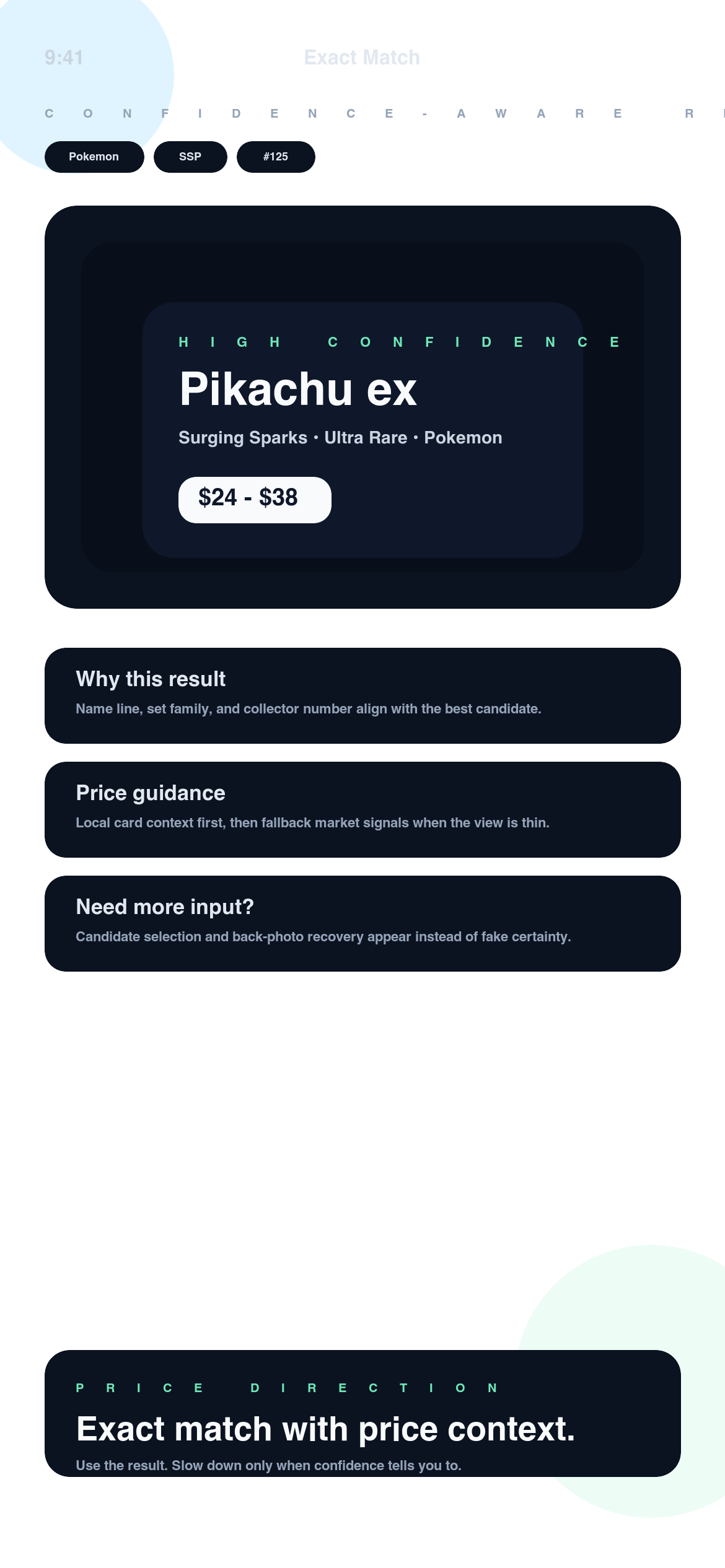
Match card
Pikachu ex
Pokemon • Surging Sparks • #125
Confidence
High confidence
Enough signal to keep moving, then verify condition.
Price direction
$24 - $38
Guidance tied to the matched card, not a blind market guess.
Example result
PullScope is at its best when the output feels usable immediately. You should be able to scan the card, understand the likely match, read the caution level, and decide whether to save or rescan without hunting for context.
A strong score means the visible evidence lines up well. It is still a sign to verify finish and condition, not to skip them.
If two cards sit too close, PullScope can ask for another angle or the back image before you make the call.
Result anatomy
The first image does most of the work. It should show the full card, the number area, and the finish as clearly as possible.
The app is not supposed to hide uncertainty. Confidence tells you when the match is ready to use and when it needs another pass.
The back image exists for recovery, especially when several candidates are close or the front leaves key fields unclear.
When one answer is not safe enough, PullScope can surface a shortlist so you can compare the closest likely prints.
Price context is attached to the matched card result so the number is grounded in the identified card, not a random lookup.
Strong hits can stay in history so you can revisit, compare, and organize them later instead of repeating the same scan path.