Scan policy
Front first. Back only when needed.
Card signal interface
PullScope turns a front photo into a collector-ready result with candidate review, optional back-photo recovery, price direction, and saved history.
Scan policy
Front first. Back only when needed.
Result shape
Match, confidence, price direction, save.
Confidence
High
Use the result, then verify condition and finish.
Price direction
$24 - $38
Context first. Not a guaranteed sale number.
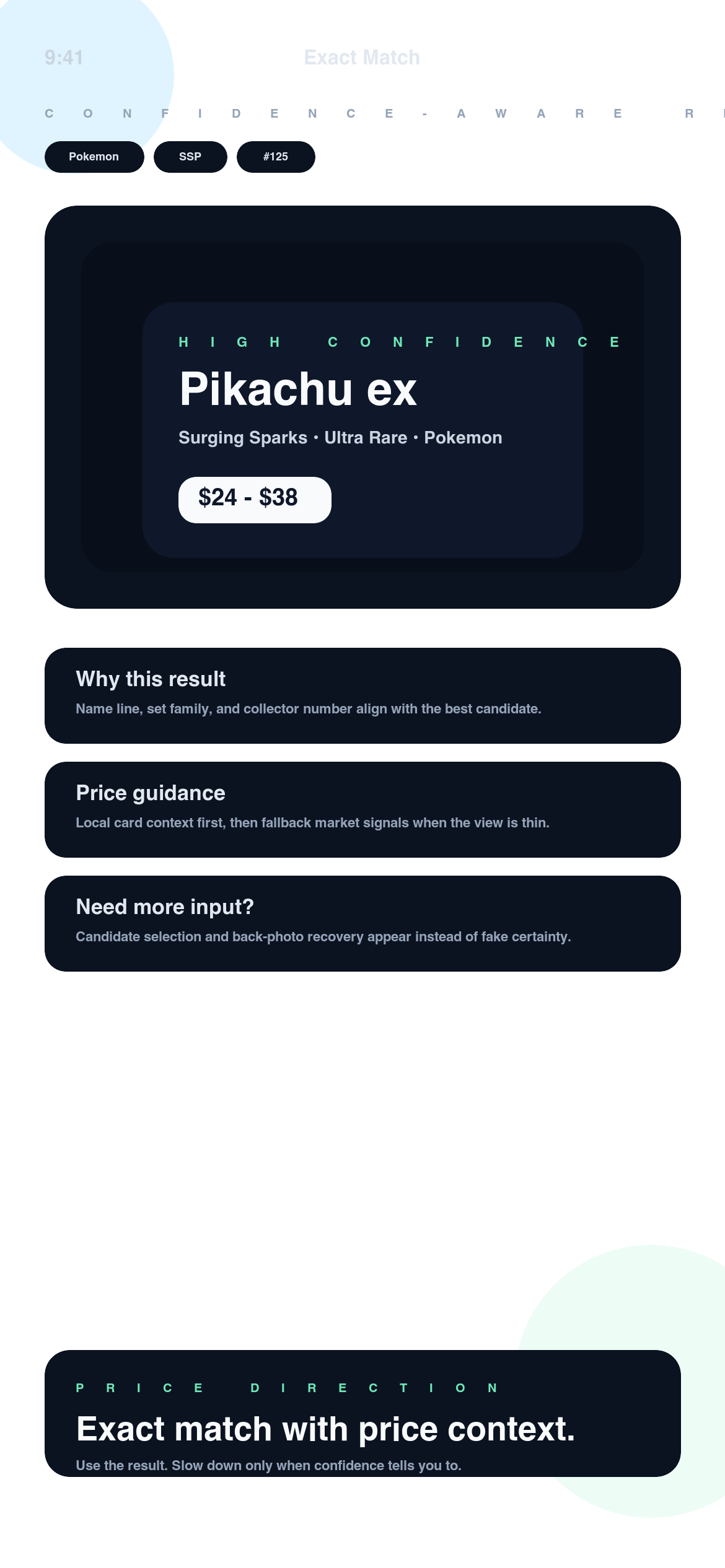
Card match
Pokemon • SSP • #125
Pikachu ex surfaced as the leading candidate.
Back photo
Asked only when needed
A second shot is a recovery step, not default friction.
Confidence
High confidence
PullScope shows when the signal is strong and when to slow down.
Price direction
$24 - $38
Card-specific context stays attached to the match.
Supported card universe
PullScope is shaped around card-specific workflows for major TCG and sports card families. Coverage and confidence can vary by card, so the app stays careful when the signal is thin.
Pokemon
Set code, rarity, and number-aware first pass.
MTG
Built to slow down when print treatment gets close.
Yu-Gi-Oh!
Helpful when set code and foil handling are clear.
Sports
Useful for raw cards, parallels, and quick price context.
One Piece
Camera-first flow for modern card families and variants.
Lorcana
Collector-ready guidance with cautious next-step logic.
How scan works
PullScope is designed to answer the first useful question quickly: what card is this likely to be, how confident is that match, and do I have enough signal to keep moving?
Front photo
Start with the card face. Keep borders, number area, and finish readable.
Result review
Match, confidence, and price direction arrive in one result shell.
Recovery step
If the first scan is weak, add the back or review the candidates.
Start with one clear front shot so the app can read the card family, visible identifiers, and whether the first image is already enough.
Read the likely card, confidence, set details, and price direction together instead of splitting the job across multiple tools.
If the result stays close or weak, PullScope can ask for the back or a cleaner angle before you act on it.
Keep the strong hits in history, rescan the doubtful ones later, and build a cleaner shortlist over time.
Why it feels safer
PullScope is not trying to win as a broad image search or a generic chat window. It is designed for card-specific workflows where weak evidence should stay weak until the user adds more proof.
PullScope
PullScope is built for card identity fields, not just visually similar listings.
PullScope
The workflow starts from the actual card photo, then stays grounded in candidates and evidence.
PullScope
Low-confidence results are allowed to slow the user down instead of forcing a final answer.
PullScope
The back image is a recovery tool, not a permanent requirement for every scan.
What the result is built around
Start with the front card. Add the back only when the scan actually needs more proof.
The result is shaped around game, set, collector number, rarity, finish, and the likely best candidate.
Weak scans stay cautious. PullScope can ask for another photo or a candidate review instead of bluffing certainty.
When several prints sit too close, you get a cleaner shortlist instead of a vague one-shot guess.
Use the identified card as the anchor, then read price context as guidance for the next move.
Keep strong matches close, revisit uncertain cards later, and turn scans into a real collector workflow.
Match card
Pikachu ex
Pokemon • Surging Sparks • #125
Confidence
High confidence
Enough signal to keep moving, then verify condition.
Price direction
$24 - $38
Guidance tied to the matched card, not a blind market guess.
Example result
PullScope is at its best when the output feels usable immediately. You should be able to scan the card, understand the likely match, read the caution level, and decide whether to save or rescan without hunting for context.
A strong score means the visible evidence lines up well. It is still a sign to verify finish and condition, not to skip them.
If two cards sit too close, PullScope can ask for another angle or the back image before you make the call.
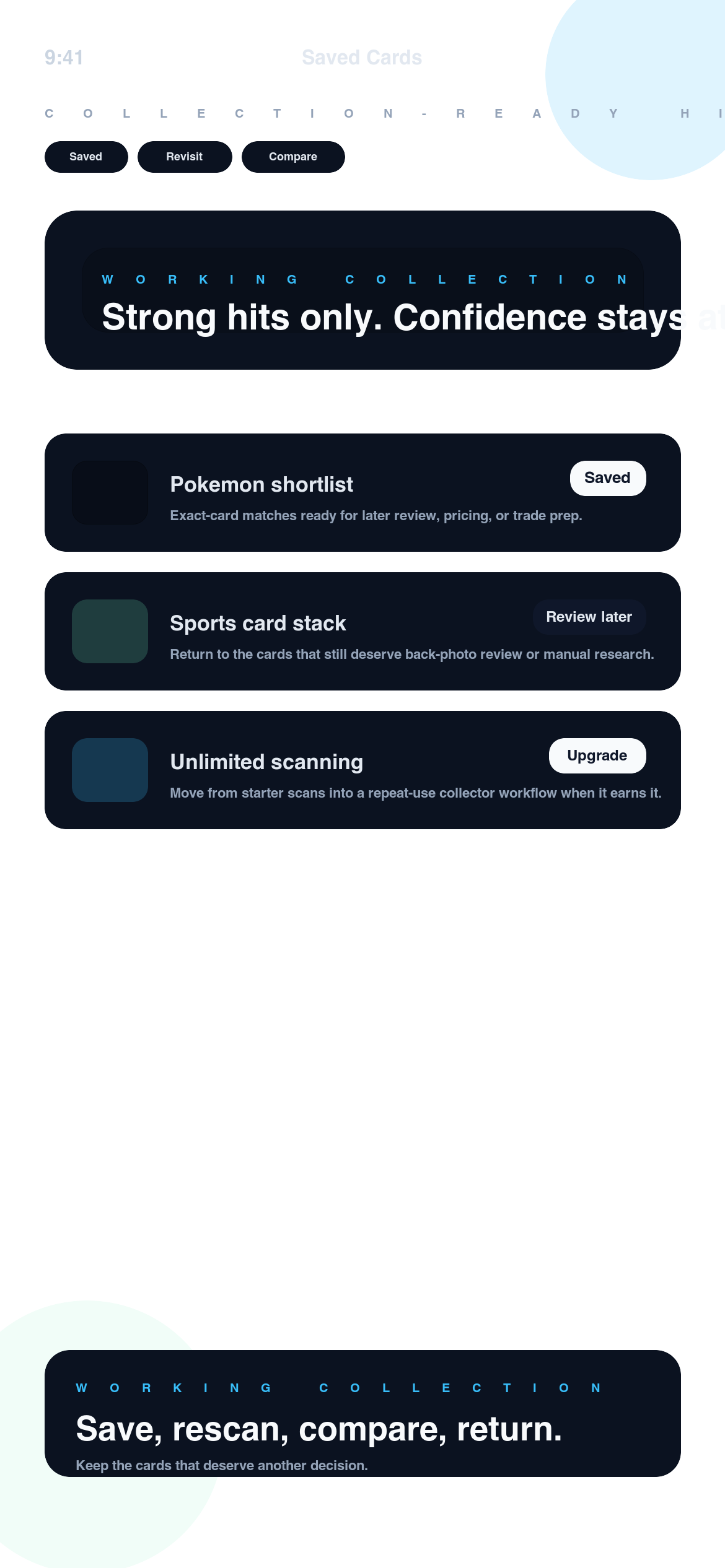
Saved history
PullScope is more useful when the workflow does not end at the first result. Saved history lets you hold onto the cards worth comparing, pricing, or rescanning instead of losing them in screenshots.
Save strong matches without leaving the scan flow
Return to cards that still need a back-photo check
Keep price context attached to the result that created it
Collector proof
The strongest feedback is simple: the result helps people decide whether to trust the scan, ask for more proof, or save the card for later instead of losing the thread.
Why it lands
PullScope feels like a tool, not a theme. It gets to the card, keeps the uncertainty visible, and makes saved history part of the workflow instead of an afterthought.
"It tells me fast whether I should trust the scan, ask for the back, or slow the deal down before I trade."
Evan S.
Trade-night collector
"The result screen feels built for collectors. Match, confidence, and price direction land in one place instead of three tabs."
Noah P.
Show-floor buyer
"Saved history is what made it stick for me. I can keep the real hits and come back to the uncertain ones later."
Jules T.
Binder sorter
Pricing
PullScope includes 3 free starter scans. After that, access continues through weekly or yearly App Store billing. No separate website checkout. No hidden plan maze.
Weekly
$6.99
per week
Good for a short sorting burst or a trade-week check.
Yearly
$49.99
per year
Best if PullScope becomes part of your normal collector workflow. $4.16/mo
FAQ
Straight answers on scan flow, pricing context, saved history, and where PullScope intentionally stays careful.
Question
It helps you review the likely card match, confidence, set details, and price direction from the photo you submit.
Question
No. Start with the front. Add the back only when the app asks for more proof or the card details stay too close.
Question
No. It is guidance for research and decision support, not a guaranteed sale value or grading outcome.
Question
Yes. PullScope includes free starter scans so you can test the flow before choosing a paid plan.
Question
Billing, renewal, and cancellation are handled through your Apple ID subscription settings in the App Store.
Final call
PullScope gives you a cleaner first pass on the exact card, confidence, and price direction without turning the workflow into a pile of tabs, screenshots, and half-trusted guesses.
Free starter scans
Try the product before deciding whether it belongs in your normal collector routine.
App Store billing
Subscription, cancellation, and restore flows stay inside Apple’s standard path.
Support desk
FAQ, support, privacy, and contact pages stay one click away if you need clarity before installing.